Getting started
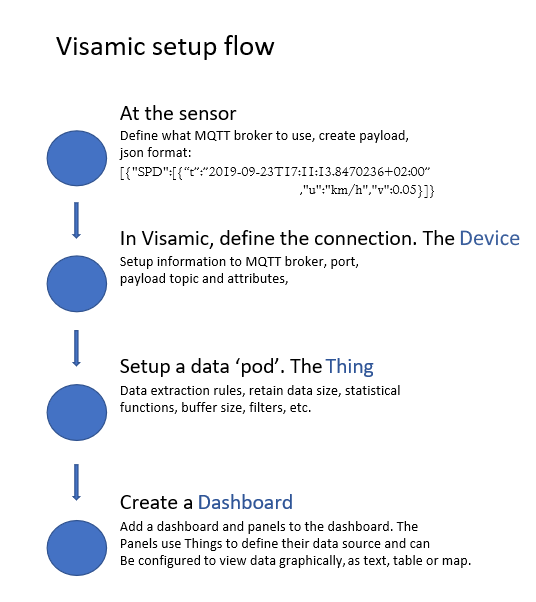
Visamic lets you connect sensor data, shape it into useful values, display it in dashboards, and react to conditions with functions and triggers.
This guide follows the recommended order for a first setup:
Before you begin
You need:
- Access to the Visamic web application.
- A sensor or test publisher that can send data through MQTT.
- The broker hostname, port, topic, and credentials required by that publisher.
- A JSON payload whose attribute names you can configure in Visamic.
For a quick MQTT test, you can use the mosquitto_pub and mosquitto_sub command-line clients. See Connecting a sensor for examples. Broker hosts, ports, credentials, and certificates are environment-specific; confirm their current values in the application before using them.
Next steps
Use the Datapanels reference when you need to choose a visualisation type, and the JSON data format reference when you need to design a payload.